Capture it now, let AI save it
Local-first by default, AI when you need it. AI Save is an OrbNote Pro feature.
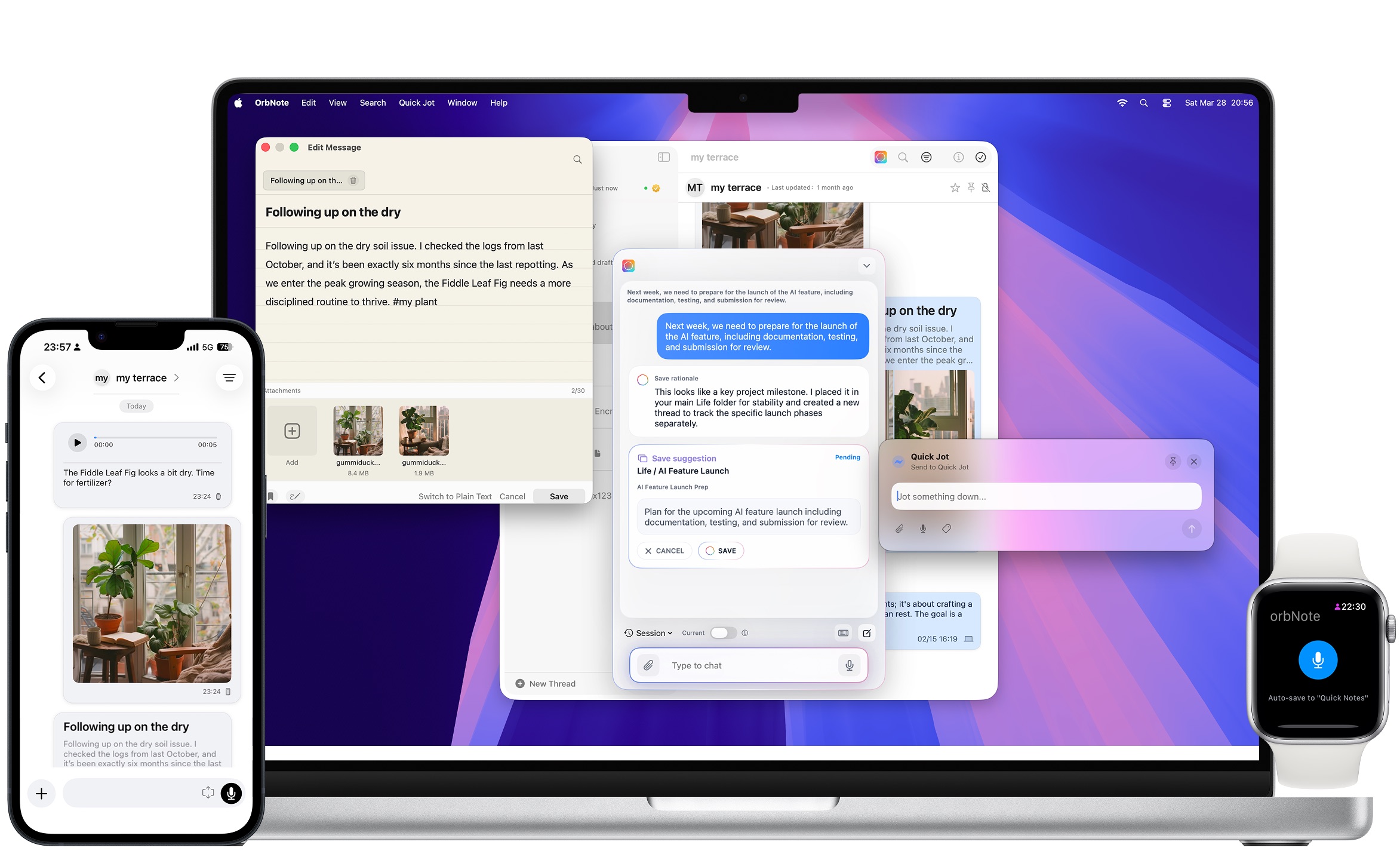
🤖 AI Save
AI organizes your notes instead of chatting endlessly
Type a sentence, paste an image, or speak a quick voice note. OrbNote first suggests how it should be saved: which group, which thread, and how the title and body should be structured.
3 steps to get organized
You send the content, AI suggests the save, you decide whether to keep it
Whether it is a short sentence, a screenshot, an attachment, or voice input, OrbNote uses limited context to suggest the right group, thread, title, and body. Nothing is written into your long-term note structure until you confirm.
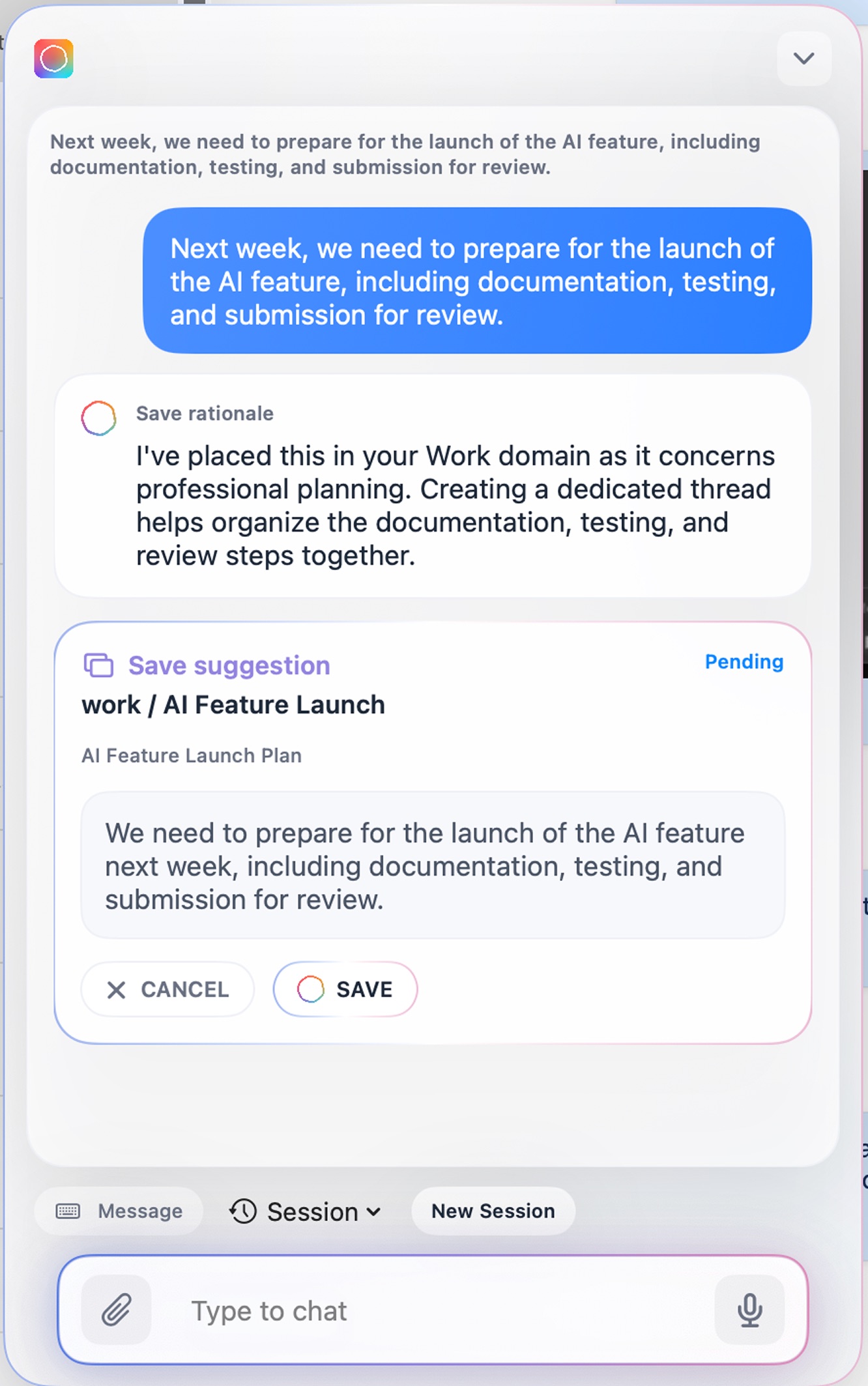
What you actually get
The point of AI Save is not chat
It turns scattered inputs into structured notes you can keep building on. The examples below mix real product screenshots with feature visuals from the current version.
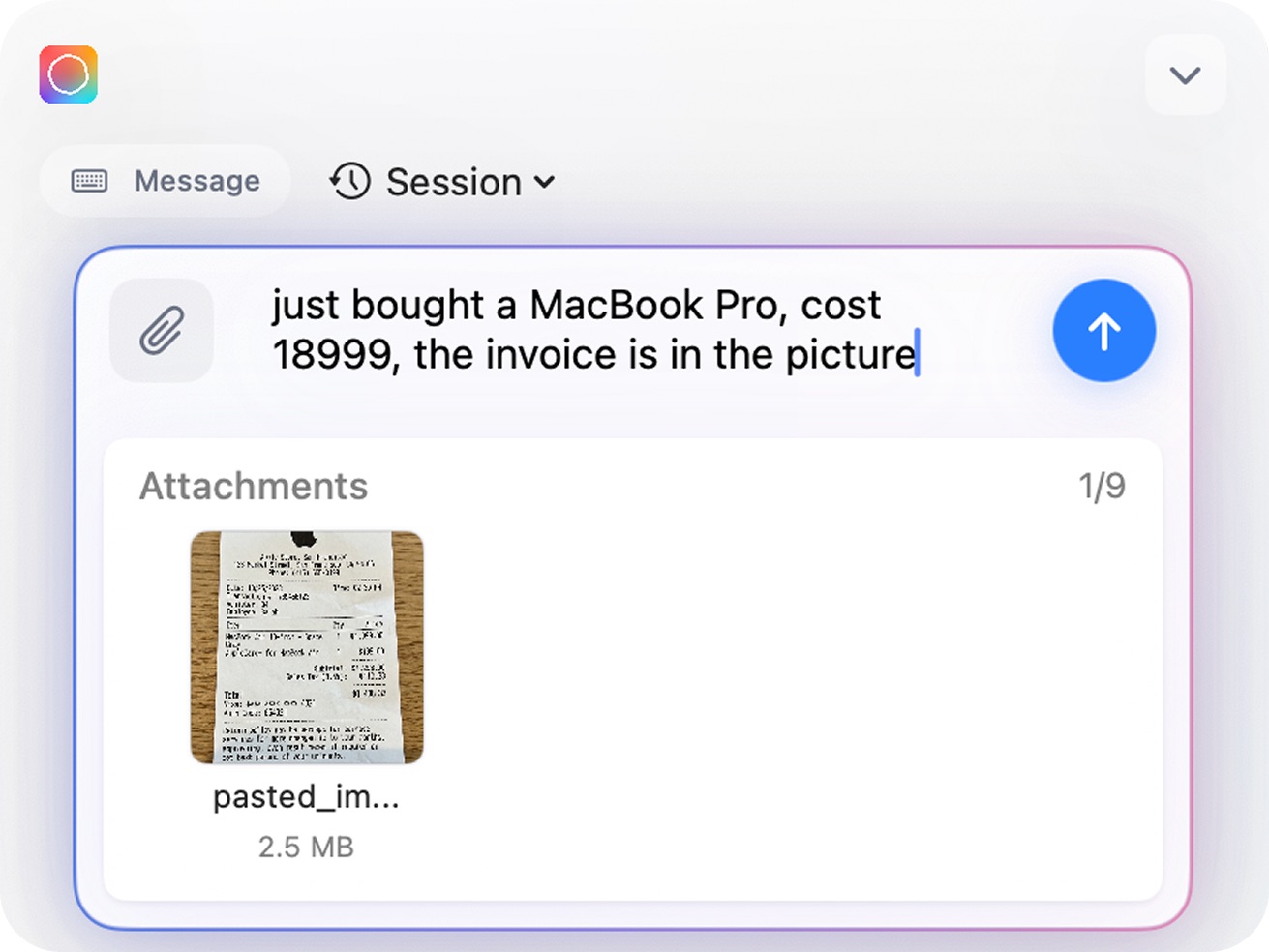
Bring multiple inputs into one flow
Text, images, attachments, and voice can all enter the same AI Save flow instead of being split into disconnected actions.
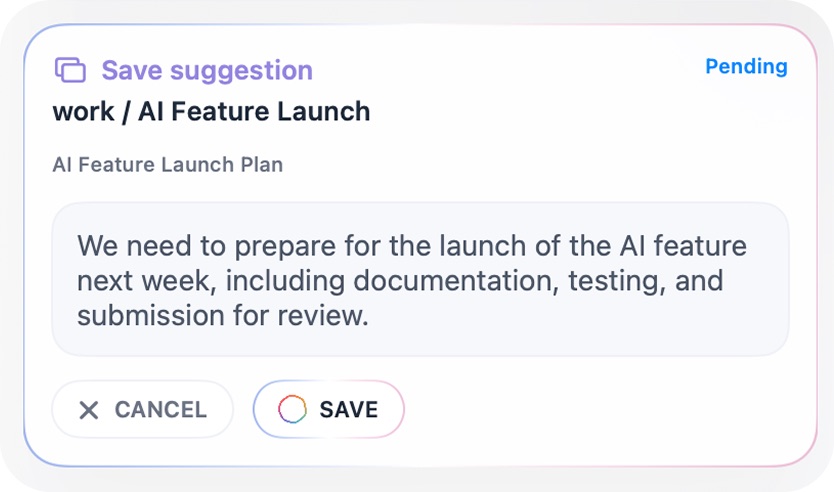
Generate a save suggestion
AI suggests the right group, the right thread, and a cleaner title and body so you spend less time manually organizing.

🔒 Privacy & Boundaries
Regular notes still belong only to you
OrbNote continues to follow a local-first plus user-owned cloud model. Your regular notes, attachments, and synced data primarily stay on your devices and in your own iCloud account. We do not run a backend database for storing that content.

Privacy for regular notes
Still deeply integrated with Apple CloudKit and E2EE
For regular notes and syncing, OrbNote continues to rely on Apple CloudKit and Advanced Data Protection. When enabled, your content can be protected with end-to-end encryption in transit and at rest.
Suggest first, save after confirmation
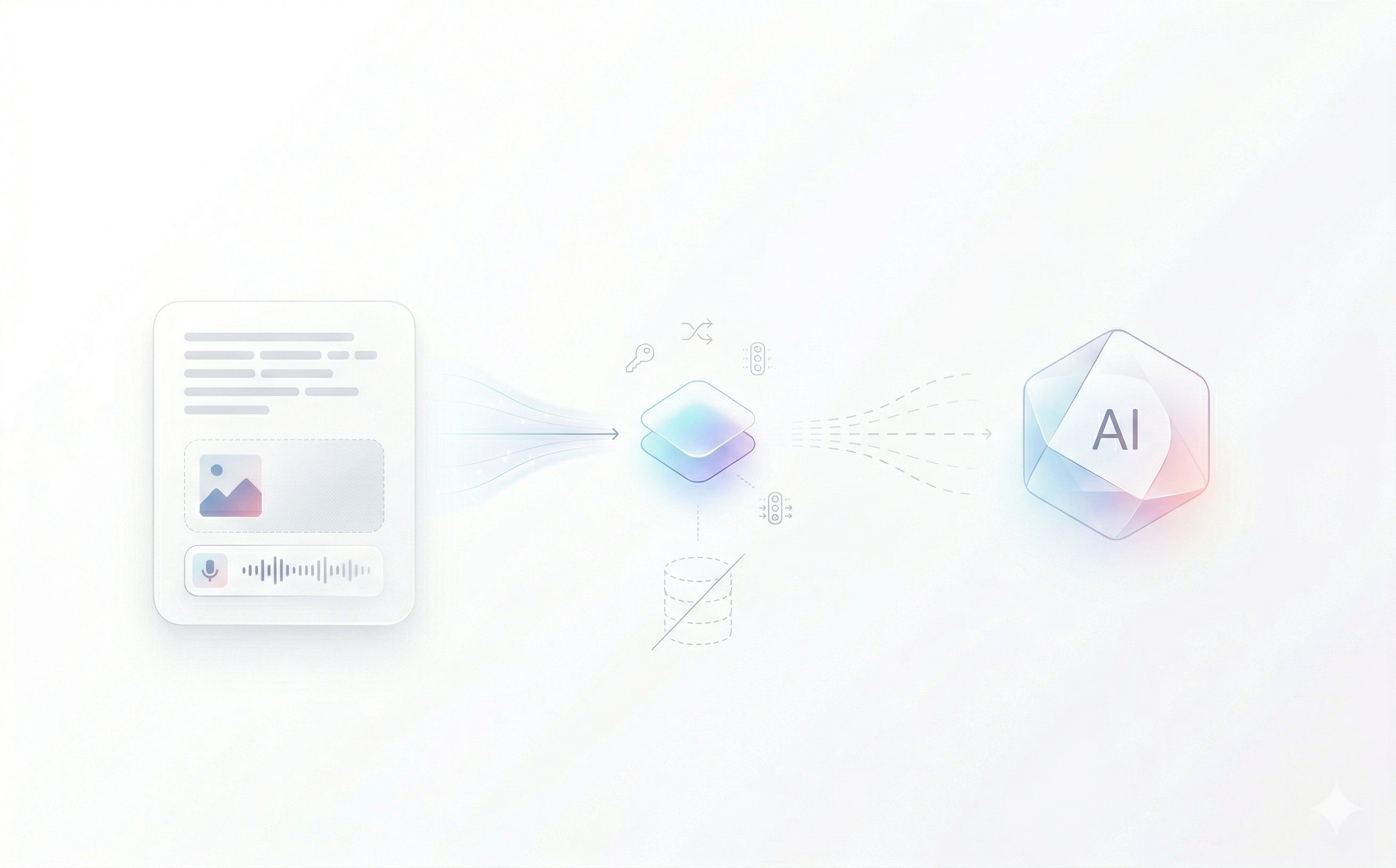
There is an AI gateway, but no user content backend
When you actively use AI Save, your request briefly passes through OrbNote's stateless AI gateway for authentication, rate limiting, routing, and result forwarding. We do not persist the content you send to AI in our own database, and we do not record plaintext content in routine service logs.
FAQ
Frequently asked questions
Q: Does OrbNote store what I send to AI?
A: Not as persisted user content. AI requests only pass briefly through OrbNote's stateless gateway for authentication, rate limiting, routing, and forwarding. Redis stores only de-identified technical identifiers and counters needed for rate limiting, not note content, prompt text, image content, or attachment body text.
Q: Will AI automatically change my original content?
A: No. AI first generates a save suggestion. Content is written into the target thread only after you confirm it.
Q: Does AI read all of my notes?
A: No. AI only processes the content you actively submit, plus the limited context needed to determine where it should be saved. Your regular notes still primarily remain on your devices and in iCloud.
Q: Will upstream AI services use my content to train their models?
A: We prioritize commercial AI services with strict privacy commitments. According to their public policies, API request content is not used to train general models, and we prefer service modes that do not retain content or retain only short-term safety data when necessary.
Q: Is AI Save included for free?
A: No. AI Save is currently an OrbNote Pro feature. You can still use regular notes, local-first storage, and private iCloud sync without it. Upgrade to OrbNote Pro to enable AI Save.
Q: What happens if I never use AI?
A: Nothing changes for your regular notes. AI is only triggered when you explicitly use it. OrbNote still works with a local-first and private iCloud sync model.
Start using OrbNote 2.0
Download it for free to try regular notes first. Upgrade to OrbNote Pro when you want AI Save to help organize notes you plan to keep.