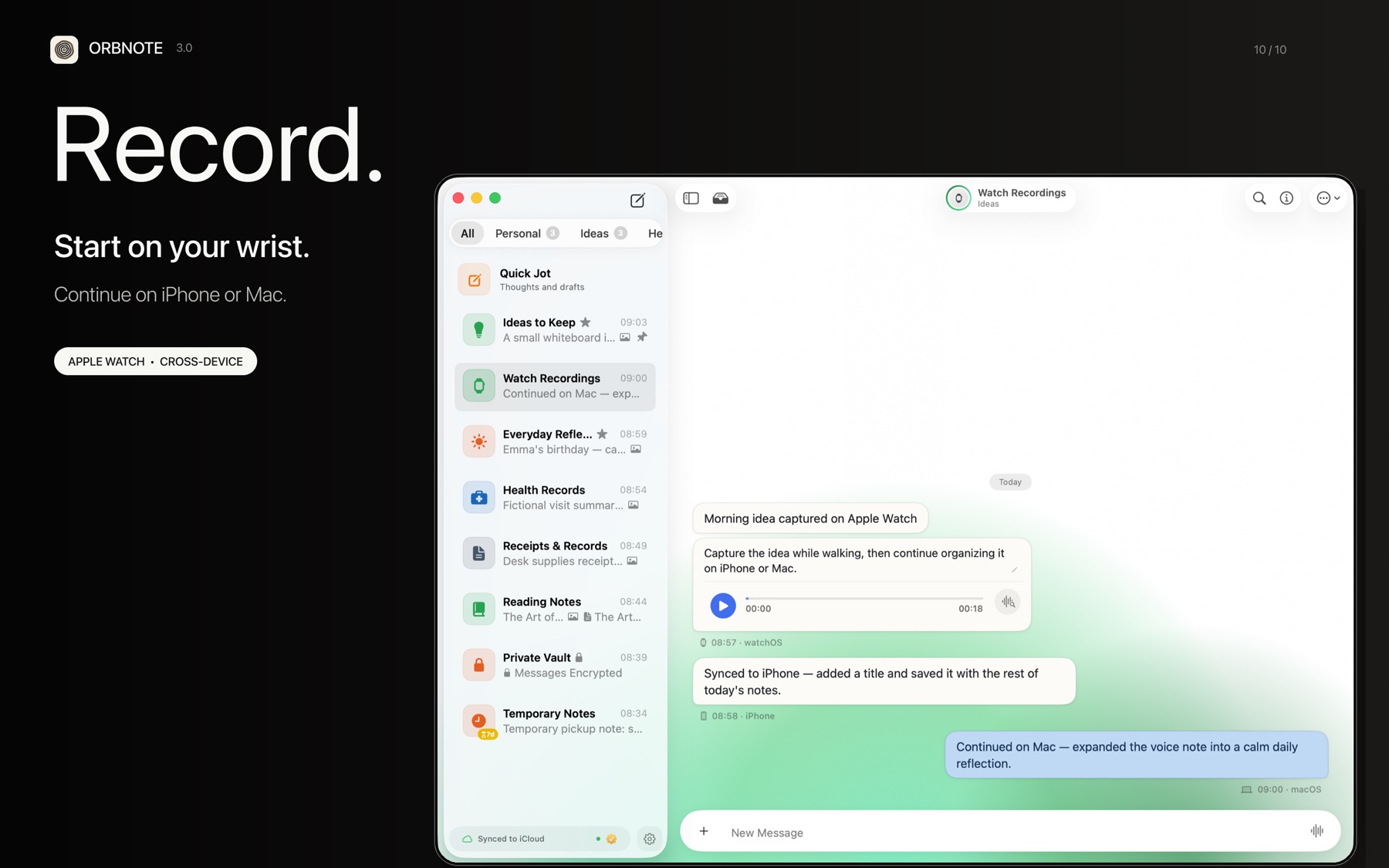
The useful thing about voice notes is not recording audio. It is preserving a thought during the short window in which it exists and typing is impractical. A 20-second recording while walking, cooking, or leaving a meeting is often more realistic than creating and naming a document.
Safety comes first. Do not operate a watch or phone while driving, cycling, or doing anything that requires continuous attention. Wait until you can stop safely.
Make the recording readable before you make it
Spontaneous speech is full of references such as “this,” “that screen,” and “what we just discussed.” The audio captures the sound, but the transcript may be meaningless several days later.
A reliable speaking pattern is:
Topic → observation or fact → next action
For example:
Settings screen. Do not explain every sync concept during first launch. Next, test moving that explanation until after the first successful save.
The transcript now contains searchable terms and an explicit action. Add a date or place only when it materially changes the meaning.
From Apple Watch to Quick Jot
When no recording destination has been selected, OrbNote Watch prefers Quick Jot. The workflow is:
- Open OrbNote on Apple Watch in a safe situation.
- Start recording and speak a short note.
- Stop to save the original audio as a message in the default recording Thread.
- iCloud sync makes the message available on iPhone and Mac.
- Complete transcription, correction, and filing on iPhone or Mac; the result can then sync back.
watchOS does not run the Speech transcription framework in the current implementation. Its job is to record and persist the audio. The Watch app can also browse Threads, play audio, and display a transcript once another device has written it.
Free and Pro behavior
| Plan | Transcription behavior |
|---|---|
| Free | Trigger transcription manually on iPhone or Mac |
| Pro | Audio saved through supported iPhone and Mac send flows is scheduled for automatic transcription |
If a recording synced from Apple Watch still has no transcript, trigger it manually on iPhone or Mac. You do not need to record it again. The original audio remains available even when transcription fails.
Apple Speech or WhisperKit?
OrbNote follows a defined routing order. A manually selected engine wins. Without a manual choice, OrbNote prefers WhisperKit when its model is ready and otherwise uses Apple Speech. If an automatically selected WhisperKit job fails, OrbNote falls back to Apple Speech. A manually selected WhisperKit job reports the error instead of silently switching engines.
| Engine | Processing model | Best for | Requirement |
|---|---|---|---|
| Apple Speech | Managed by the system; not guaranteed to be offline in every environment | Quick setup and broad language support | Speech permission; some environments may require network access |
| WhisperKit | Processes audio with a model downloaded to the device | Offline-sensitive work or higher-accuracy needs | Download the model and wait until it is ready |
“Built into the system” does not mean “always offline.” If audio must not be submitted for online recognition, download the WhisperKit model and explicitly choose WhisperKit.
The voice transcription guide documents the engine states and routing rules.
Three useful edits after transcription
1. Fix proper nouns before rewriting prose
Product names, people, and abbreviations are the most damaging recognition errors because they also hurt search. Correct those first and remove obvious repeated filler. A voice note does not need to become a polished essay.
2. Add one line of missing context
If the recording says only “we should not ship this version,” add “refers to the first-launch settings design.” One sentence may save a full replay later.
3. Move actionable notes into the right Thread
An isolated observation can remain in Quick Jot. Once it belongs to a project, reading topic, or continuing question, move it to the relevant Thread. Pro users can also ask AI Organization to suggest a destination.
Transcripts are stored with the attachment and included in the search index. Free search covers basic message text; advanced full-text search across transcripts, image OCR, and long-form articles is a Pro feature.
Diagnose common failures
| Symptom | Check first |
|---|---|
| Recording will not start | Microphone permission and available device storage |
| Apple Speech is unavailable | Speech permission, network, and language support |
| WhisperKit cannot be selected | Whether the model download has completed and its state is Ready |
| Transcription failed but audio remains | Select an engine and retry manually; do not re-record |
| A transcript does not appear in search | Confirm that it was saved successfully and that advanced search is available |
What “done” looks like
A voice note does not need to become beautiful prose. If the original audio is preserved, the transcript contains a useful topic phrase, and actionable material is in the right Thread, the note has done its job.
The best voice workflow does not maximize recording. It makes brief observations recoverable before they disappear.