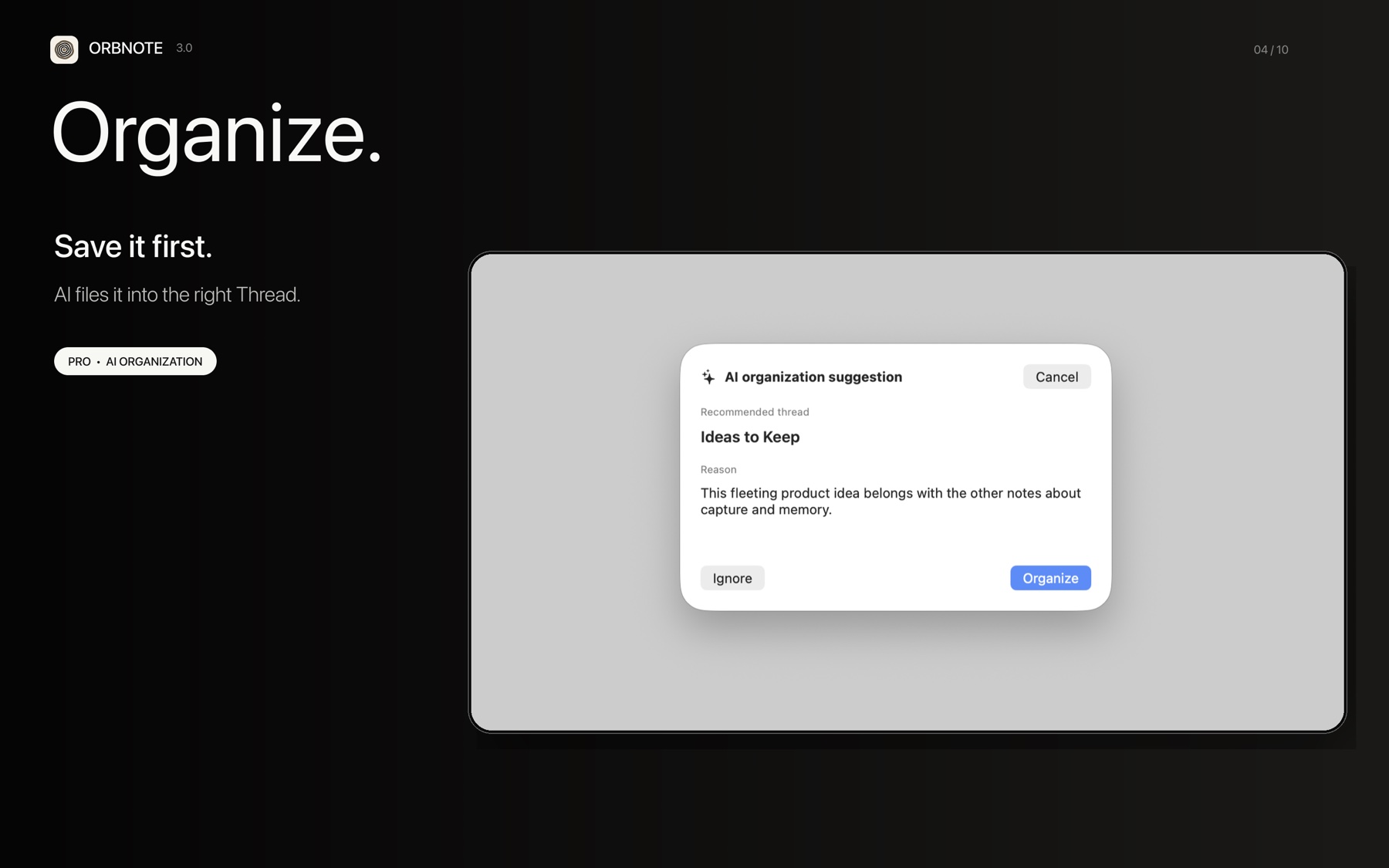
AI Organization helps turn Quick Jot from an inbox into a bridge toward your longer-term Threads. It is an OrbNote Pro feature and runs after the message has already been saved.
What it does
For an eligible Quick Jot message, OrbNote evaluates the new content with the limited context needed to recommend a destination. The suggestion includes a Thread and a short reason.
| AI Organization does | AI Organization does not do |
|---|---|
| Suggest a suitable existing Thread | Require a destination before capture |
| Explain the recommendation | Silently rewrite all of your notes |
| Reduce repetitive filing work | Replace your ability to organize manually |
| Follow the behavior you selected in settings | Read every note without a related need |
Review a suggestion
- Capture a message in Quick Jot.
- Open the AI Organization suggestion when it appears.
- Review the recommended Thread and the reason.
- Choose Organize to accept it, or Ignore to leave the message where it is.
If you enable an automatic organization option in settings, verify that it matches the amount of control you want before using it for important material.
If the recommendation is not useful
Leave the message in Quick Jot or move it manually. A suggestion is a convenience, not a requirement. Clear Thread names and a small number of meaningful destinations usually produce a calmer system than many overlapping categories.
Read What is conversational note-taking? for the broader capture-first approach.